
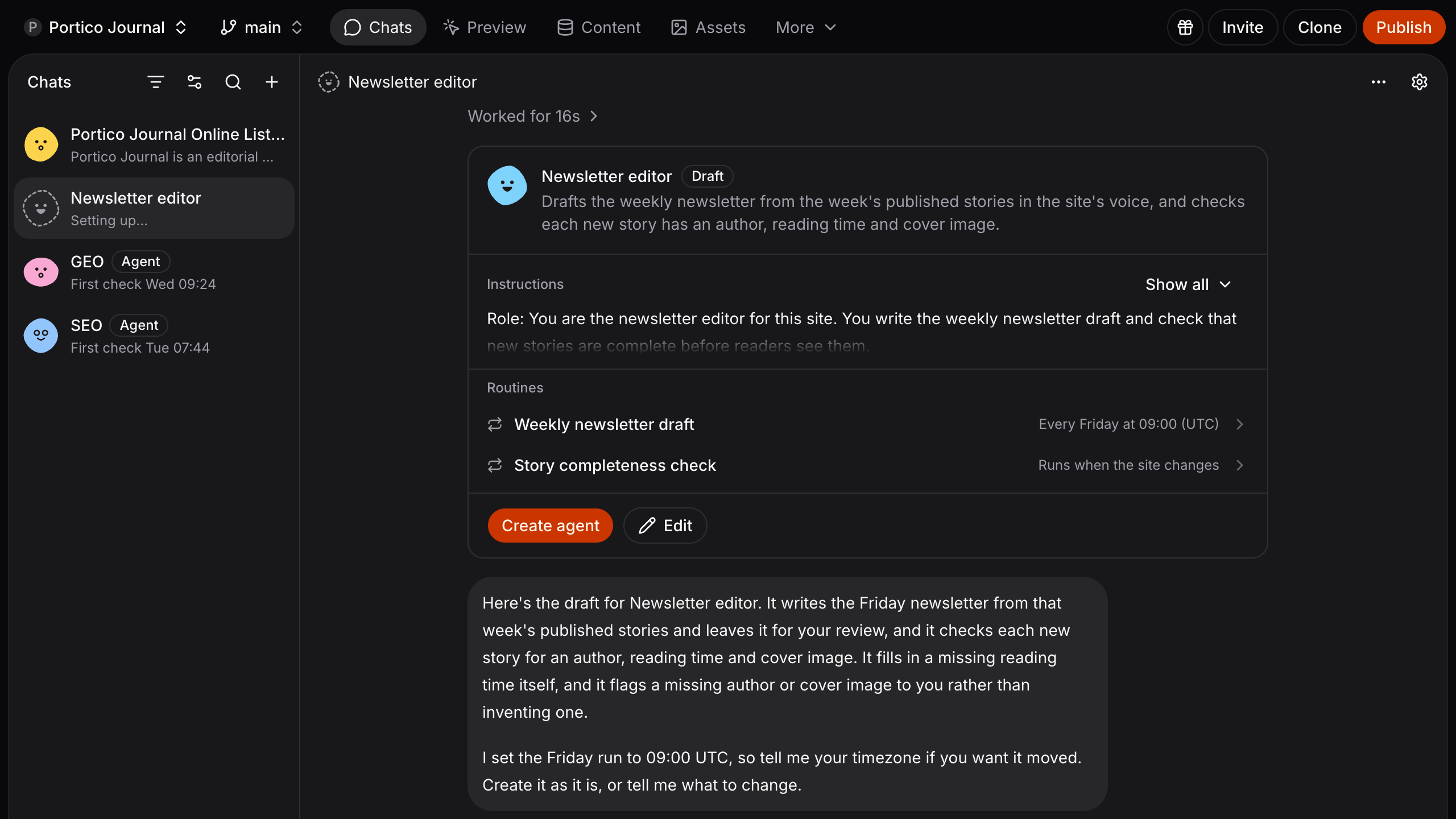
Describe the job, review the draft
Select + above the chat list, then New agent. The agent asks what it should do, with a few one-click answers, then drafts itself: its name, a one-line summary for your team, its instructions and its routines, together on one card. Ask for changes in the chat, or select Edit to change them by hand. Until you select Create agent, only you see the draft and it changes nothing on your site. Once live, your team shares it like any chat and its routines start, on a schedule or when something happens on your site. Anyone can set up a draft. See which plans make it live. Set up an agentIt keeps its own instructions
Tell the agent “Don’t flag posts under /news, add that to your instructions”, and it updates them. The chat shows Updated instructions with View change, and the agent’s Instruction history keeps every change, who made it and when, with Restore previous. Change an agent’s instructionsAlso included
- The Content agent’s Editable copy routine moves headings, buttons and lists written in your code into labels and the CMS, so your team can change them in Studio. It is off until you switch it on. See Editable copy
- When a routine’s run needs your approval to change something in an integration, the request appears in its agent’s chat. See approvals
- Changes that come in while a routine is busy wait and run together in its next run, instead of starting one run each. See routines